Automated Threat Intelligence Briefing Pipeline
A self-hosted, fully unattended daily threat intel digest — MISP, a locally-hosted LLM, and systemd, wired together end to end.
Overview
This project automates a task every SOC does manually: pulling the day’s new threat intelligence, filtering the signal from the noise, and writing a readable summary. The pipeline runs once daily with zero manual intervention. It starts my self-hosted MISP instance if it isn’t already running, pulls newly modified threat intel events, separates analysis from raw bulk indicator dumps, hands the analysis-worthy content to a locally-hosted LLM for summarization, writes a dated markdown brief into my notes vault, and shuts MISP back down if it was the one that started it. It’s scheduled via a systemd timer rather than cron, so a missed run (machine off at the scheduled time) is caught automatically on next login.
I will publicly disclose that this one was, in part, vibe coded. Because of this, I do not recommend deploying this outside of a local instance until I can scrutinize the code in more detail. I will make the scripts available on request, I just need to sanitize them.
Also relevant when running these scripts and this architecture: this was accomplished on a modestly powerful gaming desktop, running a Fedora Linux distribution with KDE Plasma as its desktop environment. AMD CPU and GPU.
Architecture
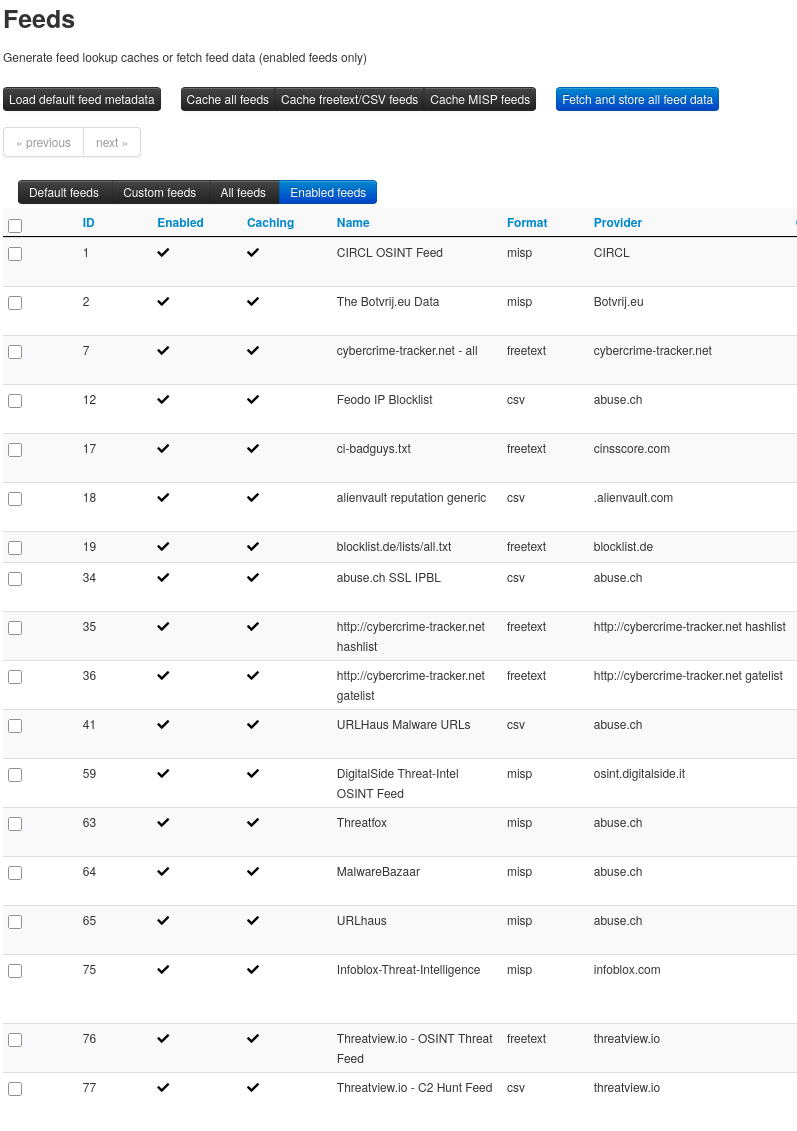
- MISP: self-hosted threat intelligence platform (Docker), 18 enabled OSINT feeds spanning raw IOC blocklists and curated analysis feeds
- PyMISP: Python API client for querying and triggering feed fetches
- Ollama + gpt-oss:20b: OpenAI’s open-weight reasoning model, run entirely locally, used only for prose synthesis
- Python: orchestration script tying every stage together
- systemd user timer: scheduling, with catch-up-on-missed-run support
- Output: dated markdown briefs written directly into my Obsidian vault
Pipeline Stages
- Lifecycle check: is MISP already reachable? Only start it if not; only stop it at the end if this script was the one that started it.
- Feed fetch trigger: actively fetch all enabled feeds rather than relying on MISP’s internal scheduler (more on why below), with a readiness-aware wait since fetching runs as a background job.
- Pull: query events modified in the last 24 hours.
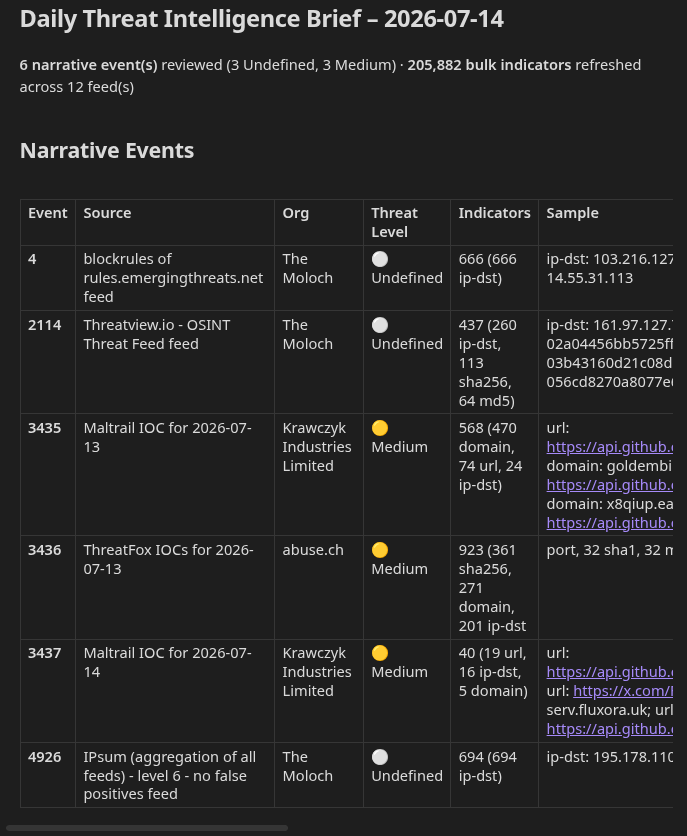
- Format: split events into genuine narrative content vs. bulk indicator dumps; build deterministic summary tables directly from the data.
- Summarize: hand only the narrative events to gpt-oss:20b for a short prose “Key Takeaways” section.
- Write: assemble and save a dated
.mdfile, ready to open in Obsidian. - Schedule: systemd timer, daily at 15:00, resilient to the machine being off at trigger time.
Sample Output
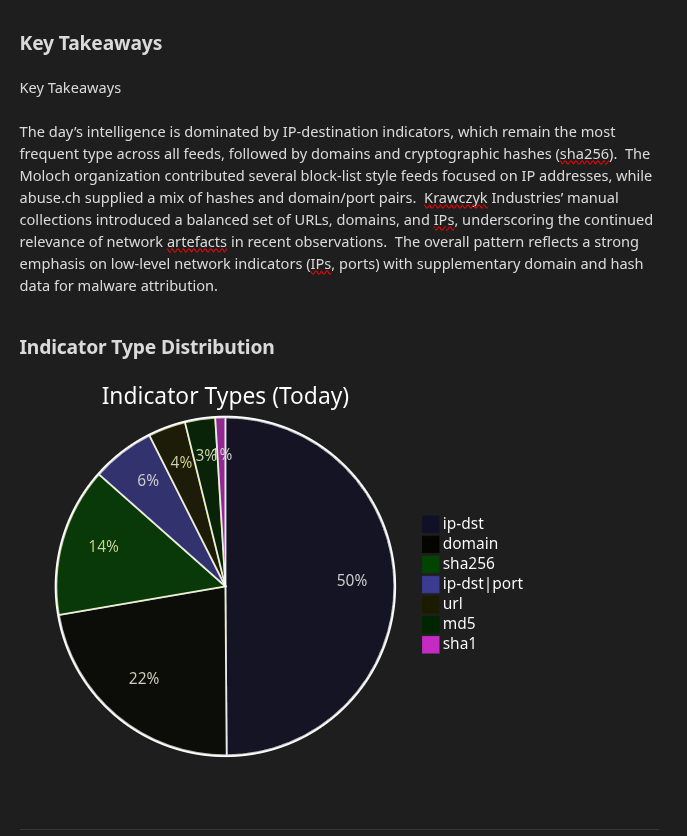
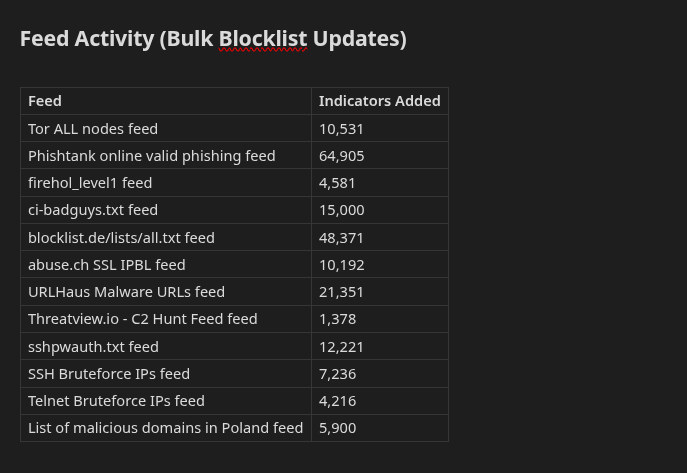
Technical Challenges & Debugging
The build surfaced several real problems worth documenting on their own — this is where most of the actual learning happened.
Feeds that looked healthy but weren’t feeding anything
Early testing consistently returned zero events despite MISP showing active feeds. The root cause: MISP distinguishes between caching a feed (downloading it for correlation only) and fetching it (actually creating queryable local events) — and a feed can show recent cache activity while never having created a single event. Fixed by explicitly triggering /feeds/fetchFromAllFeeds before every pull, rather than trusting that “enabled” meant “flowing in.”
Wrong API filter, misleading empty result
A related dead end: filtering by date_from returned nothing, because that field filters on an event’s content date (when the underlying report was published), not when it landed in my instance — feed-ingested events routinely carry dates from weeks or months prior. Switched to the timestamp field, which reflects last-modified time, giving the actual “what’s new since yesterday” semantics I needed.
Catching the LLM’s math errors before they shipped
Rather than trusting the model’s first output, I checked every number in the generated brief against the raw MISP data by hand. Two real issues surfaced this way:
- An event’s indicator-type breakdown quietly summed to less than its real attribute count — a partial, uncaught transcription of data the model didn’t need to touch at all.
- After removing raw numbers from the model’s output entirely, a subtler error remained: an “indicator type X is most common” claim was factually backwards, because the model was still being asked to infer an aggregate ranking across events in its head, just without permission to print the digits behind it.
The fix in both cases was the same principle: stop asking a language model to do arithmetic, even implicitly. All counting and ranking now happens in deterministic Python (collections.Counter), with tables built directly from that data and an aggregate ranking computed once and handed to the model as a stated fact rather than an implied question. The model’s role is now strictly prose synthesis around numbers it never touches — zero possibility of drift.
Safe container lifecycle automation
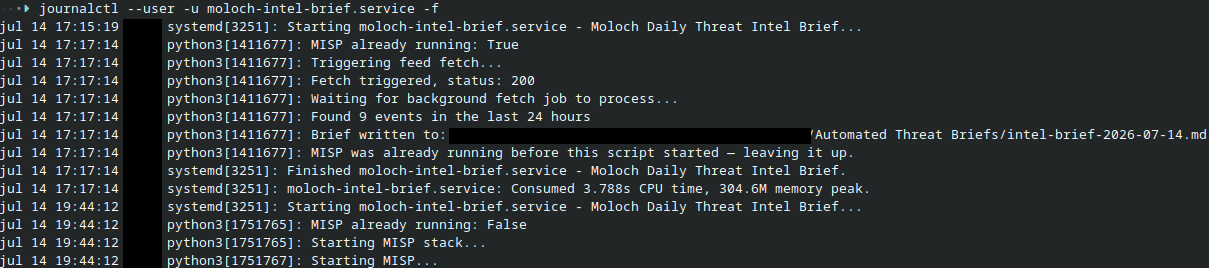
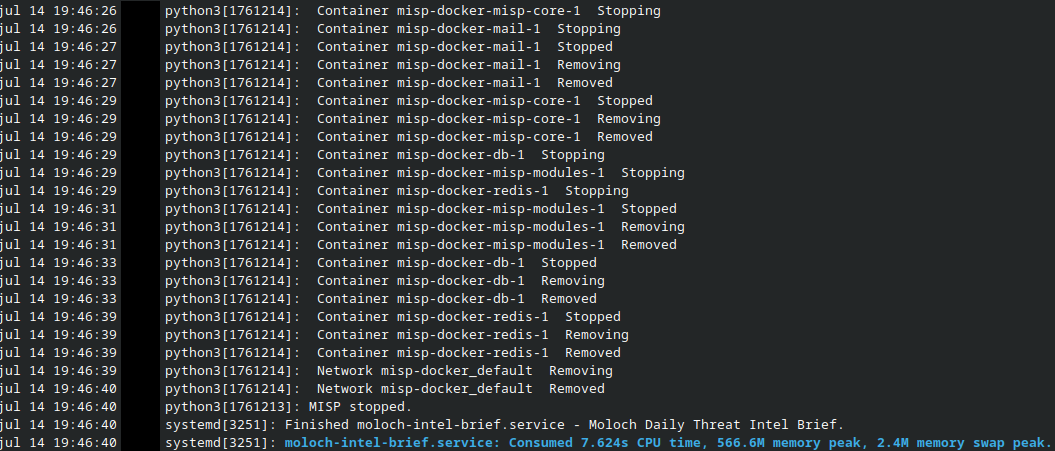
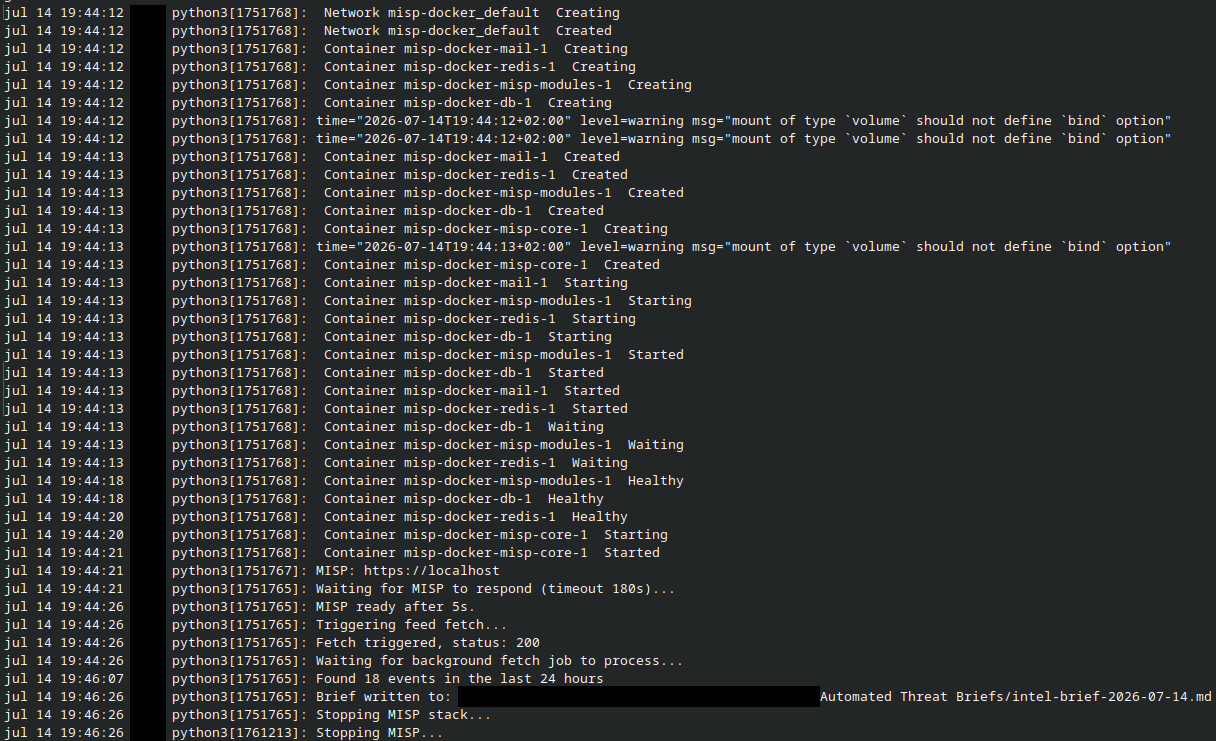
The script needed to start and stop my MISP Docker stack automatically, but only when appropriate — forcibly stopping it mid-investigation if I already had it open for other work would be a real problem. Solved with a simple reachability check before deciding to start it, and a try/finally block that only shuts it down if the script itself was responsible for starting it.
Cron’s blind spot
Cron has no mechanism to catch up a missed run — if the machine is off at the scheduled time, that run simply never happens, silently. Used a systemd user timer instead, with Persistent=true to trigger a catch-up run on next login, and native per-timezone scheduling (Europe/Amsterdam) rather than relying on the system’s default timezone.
Silent output buffering under systemd
First live test showed every log line arriving in a single burst at the very end, instead of streaming in real time — not a script bug, but a Python behavior: stdout buffers differently when it isn’t attached to an interactive terminal. Fixed with PYTHONUNBUFFERED=1 in the systemd service definition, restoring real-time log visibility for future debugging.
Lessons Learned
- Empty results from an automated data pull are not automatically meaningful. Verify the query semantics and the underlying data pipeline before concluding there’s simply “nothing new.”
- LLMs are unreliable at faithful transcription and aggregation of exact figures, even when explicitly instructed not to fabricate. The safest fix is removing the task from the model entirely, not prompting harder.
- Automating infrastructure lifecycle (start/stop) requires checking state first, “automate it” should never mean “assume nothing else depends on it already being up.”
- Scheduler choice matters beyond syntax: cron and systemd timers solve genuinely different reliability problems.
Tech Stack
MISP · PyMISP · Python · Ollama · gpt-oss:20b · systemd · Obsidian
Scheduling & Automation Proof

Live journalctl -f output during a real run